
April Fools' pranks vanish once the day ends, but scam threats persist year-round.
Cybercriminals don't take breaks, especially during spring—a peak season for digital attacks. It's not due to negligence but because busy, distracted teams rushing through their workload inadvertently let sophisticated scams slip by.
Below, discover three current scams targeting even the most vigilant professionals, tricking well-intentioned employees going about their tasks.
As you read, consider: Would my entire team recognize and stop these scams in their tracks?
Scam #1: Fraudulent Toll or Parking Fee Alerts
An employee receives a text message like this:
"You owe $6.99 for an unpaid toll. Pay within 12 hours to avoid penalties."
The message mimics official toll authorities—like E-ZPass or FasTrak—and the small amount lowers suspicion. Quick and caught between meetings, employees often click and pay without questioning the source.
However, the link leads to a scam site. The FBI logged over 60,000 complaints about such fake toll messages in 2024, with reports surging by 900% in 2025. More than 60,000 counterfeit domains impersonate state toll services, highlighting how lucrative this scam has become, sometimes targeting areas without any toll roads.
The scam succeeds due to a low charge and familiarity; many have recently used toll roads or paid parking, making the message believable.
Preventive measure: Genuine toll agencies never demand immediate payment through text links. Teach your team to avoid paying via links in texts and instead log in directly to official platforms. Never respond to these messages, as replies confirm active numbers inviting further scams.
Remember: Convenience is the trap. Follow proper payment protocols for protection.
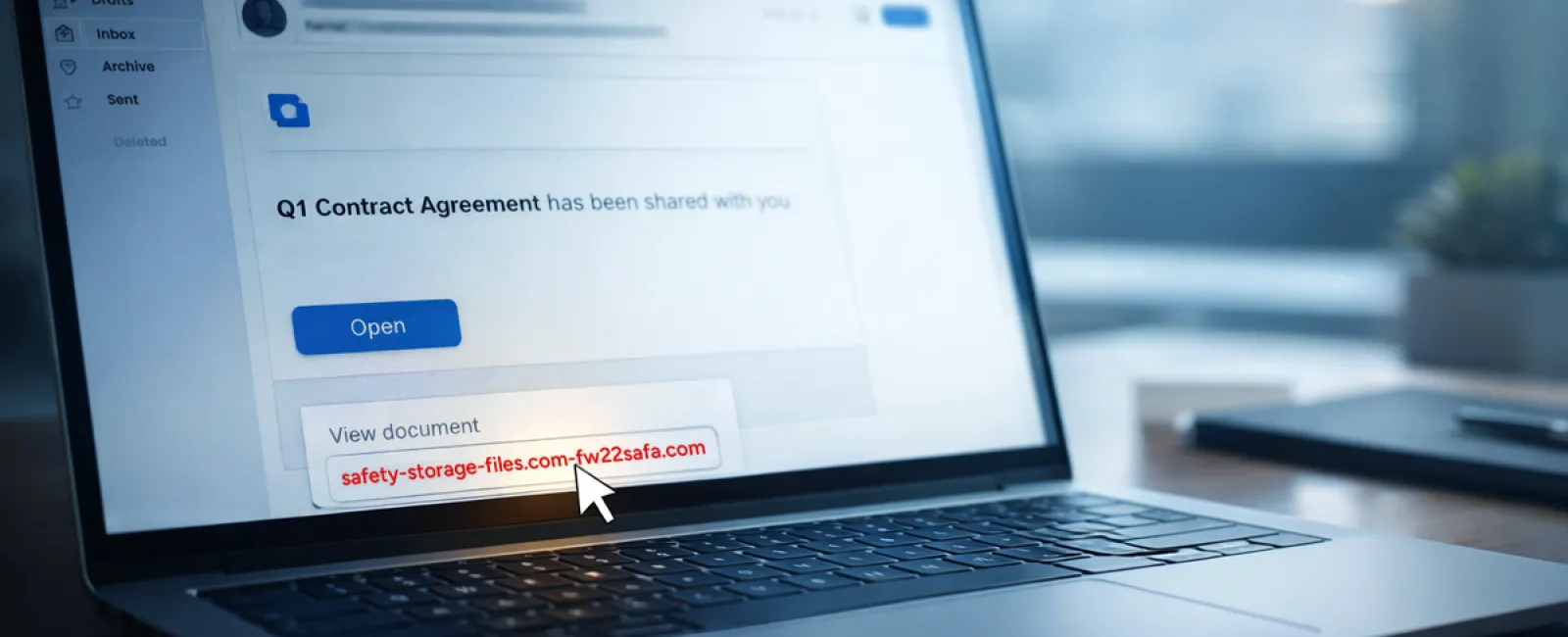
Scam #2: Phony 'Your File is Ready' Emails
This scam blends seamlessly into workdays.
An employee receives a seemingly routine email stating a file was shared—a contract via DocuSign, a spreadsheet on OneDrive, or a Google Drive document.
The sender appears legitimate, and the email formatting matches authentic notifications.
Clicking the link prompts a login page where employees enter workplace credentials, unknowingly handing access to cybercriminals who then infiltrate company cloud systems.
Such phishing attacks surged 67% in 2025, particularly exploiting trusted platforms like Google Drive, DocuSign, and Microsoft tools. Google Slides phishing alone spiked by over 200% within six months.
Employees are seven times likelier to trust these links than random emails because these notifications mirror legitimate alerts perfectly.
Modern scammers craft these emails from compromised accounts, sending official-looking notifications from genuine servers—bypassing spam filters flawlessly.
Defense strategy: Train teams never to click unexpected shared-file email links. Instead, have them log in directly to the platform to verify files. Limit external sharing permissions and activate alerts for unusual login activities—simple settings your IT department can enable rapidly.
Consistency in caution yields powerful protection.
Scam #3: Expertly Crafted Fraudulent Emails
Gone are the days when scam emails were easy to spot due to poor grammar and odd formatting.
A 2025 study revealed AI-generated phishing emails achieve click rates over four times higher (54%) than human-crafted ones (12%) because they appear authentic—using real company details scraped from public sources.
Scammers now tailor messages to departments: HR receives fake employee verification requests, finance teams get fraudulent vendor payment instructions. Vendor impersonation scams recently engaged 72% of employees, nearly double other phishing types. These emails are subtle, professional, and urgent without raising suspicion.
Safeguard tip: Verify any requests involving credentials, payment changes, or sensitive info through a secondary communication channel—phone, chat, or face-to-face. Hover over sender emails to inspect the actual domain, and treat urgency as a red flag rather than a prompt for haste.
True security fosters calm and vigilance, not fear-driven reactions.
Understanding the Core Issue
All these scams thrive on exploiting familiarity, urgency, and the assumption that "it only takes a second."
The real threat isn't careless employees but processes that expect perfect judgment under pressure.
If a hasty click can cause major harm, it's a process flaw, not a personnel issue.
Fortunately, process vulnerabilities are solvable with the right strategies.
How We Support You
Most business owners don't want to become security educators or add complexity. They want straightforward protection—peace of mind that their operations aren't exposed.
If you're concerned about your team's security—or know an owner who should be—let's connect.
Schedule a simple discovery call to discuss:
- Current risks impacting businesses like yours
- Common ways vulnerabilities hide in daily workflows
- Practical actions to minimize threats without disrupting productivity
No pressure or scare tactics—just an open conversation to identify risks and explore solutions.
Click here or give us a call at 816-238-3777 to schedule your free 15-Minute Discovery Call.
If this doesn't apply to you, consider sharing it with someone who would benefit. Often, recognizing threats converts "would have clicked" moments into "defended successfully."